Advanced Time & Attendance System
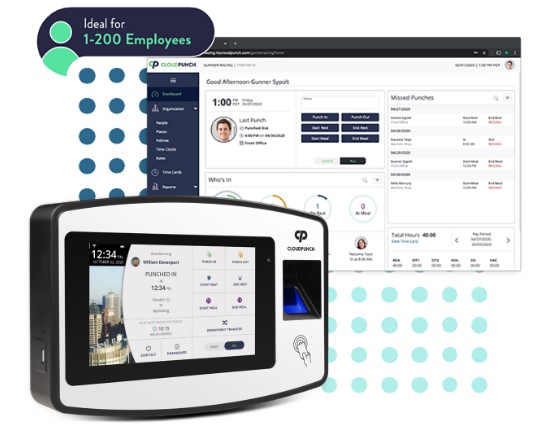
Harness the Power
of the Cloud
- Streamline your business operations using CloudPunch and the power of the cloud to automate your time tracking.
- Unparalleled accessibility - review and edit your data anytime, anywhere.
- Cloud connected time clock offers multiple punching options to fit your business needs, connects via WiFi/LAN and stores punches even when offline.
Convenient and Easy-to-Use
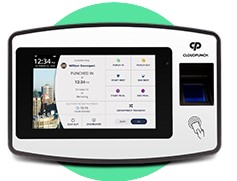
This plug and play system features intuitive directions to speed employees through the punching process. You have the option to choose between biometric fingerprint, proximity card or PIN punching.
CloudPunch will Do the Heavy Lifting
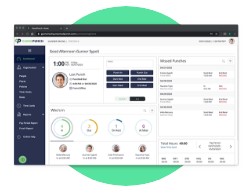
Set account preferences to automatically calculate employee time, including accruals, paid or unpaid lunch and break time and complex rounding and overtime rules. You get fast and accurate payroll information to keep your business running smooth.
One Device to Rule Them All
Configure CloudPunch™ to record employees' times and rest assured that you are always allocating resources efficiently and your employees will be fairly and correctly compensated.
Different Departments, Different Policies
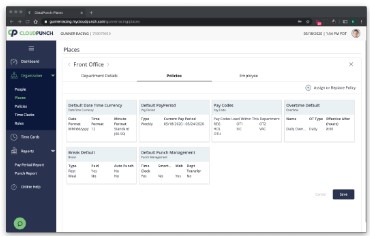
Your departments have different needs – that’s why policies can be customizable for each department.
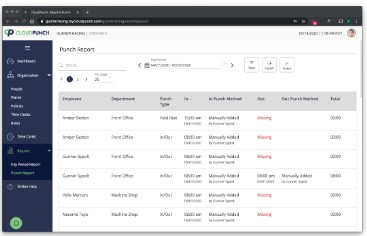
The Information You Need, Clearly Displayed
Generate pay period reports and punch reports filtered by employee, department or punch type to monitor attendance and keep payroll costs under control.
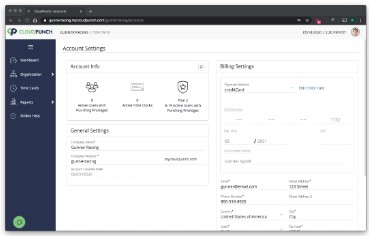
Assign Access Any Way You Want to
CloudPunch™ has three user roles: Administrator, Supervisor or Employee. Administrators have complete access to all account settings, and you can grant individual supervisors and employees' permission to view and/or edit particular policies as you see fit.
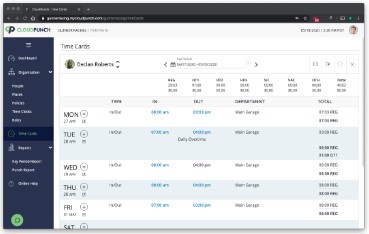
Missed Punches, No Problem
Access employee time cards grouped by pay period or search an individual employee by name. From there, you can review and edit missed punches.
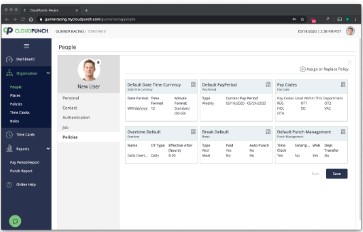
Select the Categories That Work for You
Add new employees based on site, location, area or department. You can also change the status of an employee to active or archived.
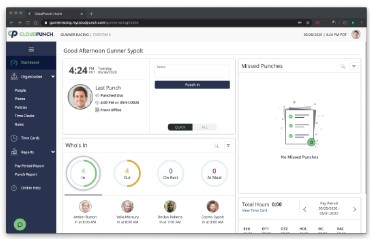
Essential Information at a Glance
Get a quick summary of Who’s In/Who’s Out, missed punches, and total hours worked for a selected pay period from the convenient Dashboard.